Back to Hub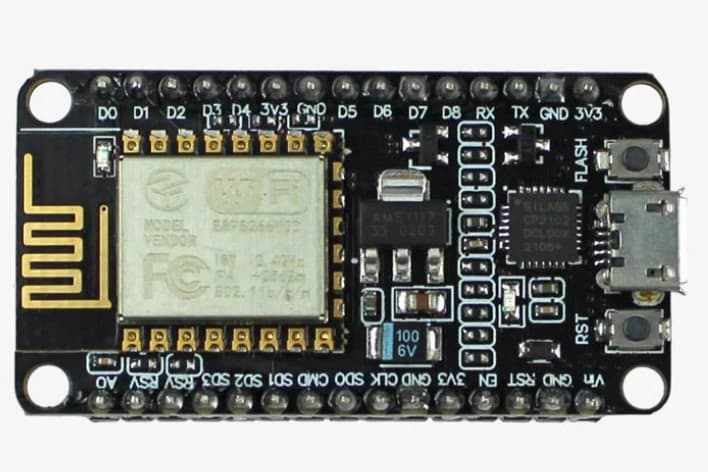
Wifi hacking with esp8266
August 12, 2026 Watch Tutorial
Wiring Schematic
Source Code
Get full C++ & Python code + lifetime access
Step-by-Step Build Instructions
FEATURES : Deauthentication of a target WiFi access point Evil-Twin AP to capture passwords with password verification against the og access point It can do both attacks at the same time, no toggling of the deauther is required. DISCLAIMER The source code given in this public repo is for educational use only and should only be used against your own networks and devices! Please check the legal regulations in your country before using it.
Install using Arduino IDE Install Arduino IDE In Arduino go to File -> Preferences add this URL to Additional Boards Manager URLs -> https://raw.githubusercontent.com/SpacehuhnTech/arduino/main/package_spacehuhn_index.json In Arduino go to Tools -> Board -> Boards Manager search for and install the deauther package Download and open PhiSiFi with Arduino IDE Select an ESP8266 Deauther board in Arduino under tools -> board Connect your device and select the serial port in Arduino under tools -> port Click Upload button How to use: Connect to the AP named WiPhi_34732 with password d347h320 from your phone/PC. Select the target AP you want to attack (list of available APs refreshes every 30secs - page reload is required). Click the Start Deauthing button to start kicking devices off the selected network. Click the Start Evil-Twin button and optionally reconnect to the newly created AP named same as your target (will be open). You can stop any of the attacks by visiting 192.168.4.1/admin while conected to Evil-Twin AP or by resetting the ESP8266. Once a correct password is found, AP will be restarted with default ssid WiPhi_34732 / d347h320 and at the bottom of a table you should be able to see something like "Successfully got password for - TARGET_SSID - PASSWORD If you power down / hard reset the gathered info will be lost
Hardware Required
- Esp8266